Cannot combine buttons in expression + issue with HID remapper taking over my mac

Hi! Thanks for all the work on doing this.

I bought an adafruit feather and 3d printed a case, to make an (Xbox, perhaps more) gamepad → keyboard & mouse emulator to use with my MisterFPGA, to play dos games on the gamepad (brave, i know).

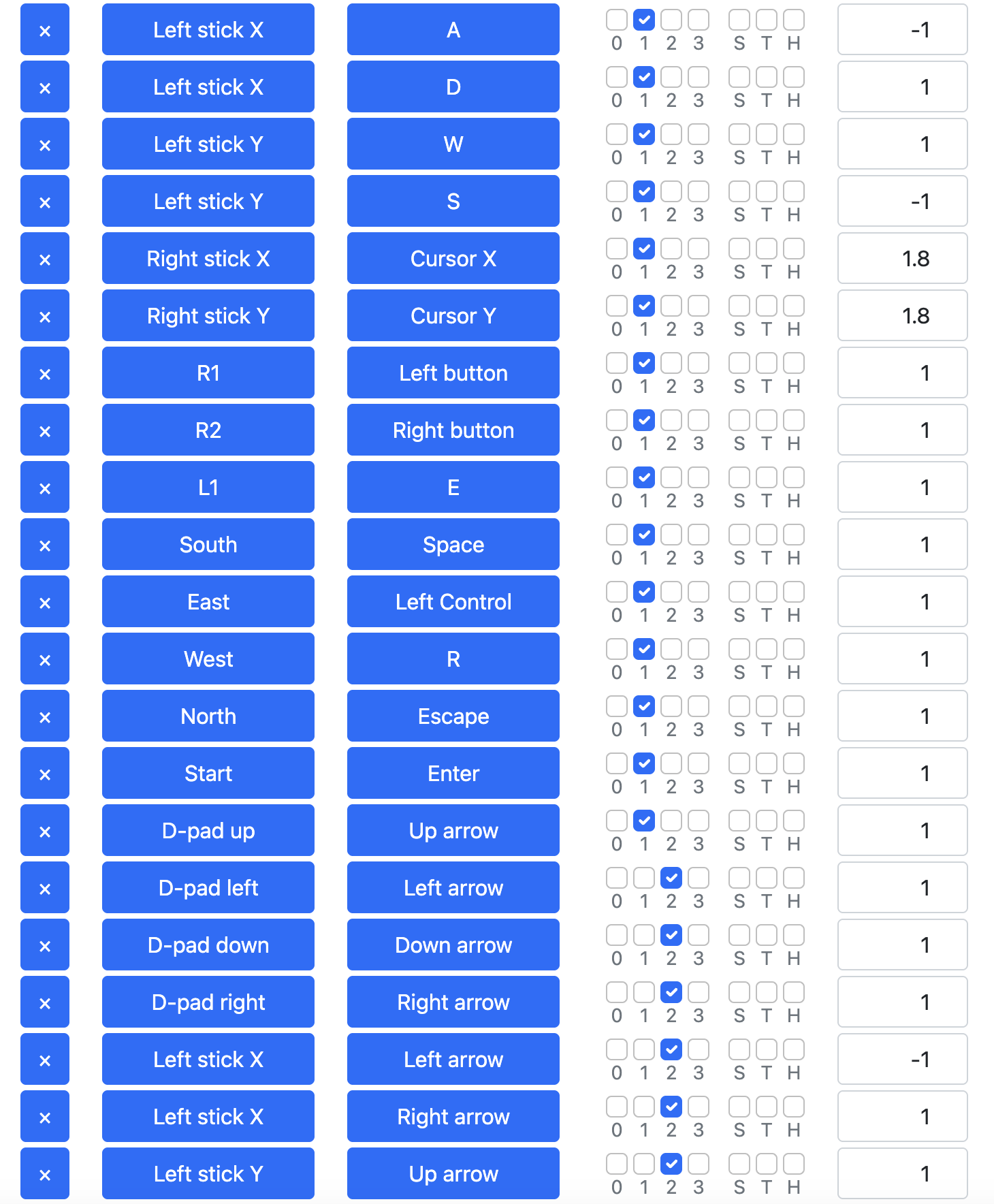
I have so far managed to do the mappings just fine, in 3 different layers (groups) so that i have a ‘layer’ for RTS games where the left stick moves the mouse, another layer for FPS games where left stick is WASD and right stick is mousemove then a 3rd layer for platformers using both the stick and dpad as arrow keys, the rest are button mappings for all layers.

What i want now is to add a combo of buttons to ‘switch’ from a layer to another. I decided to use ‘Select + Dpad left’, ‘Select + Dpad up’ and ‘Select + Dpad right’ as layer1, layer2, layer3 switches.

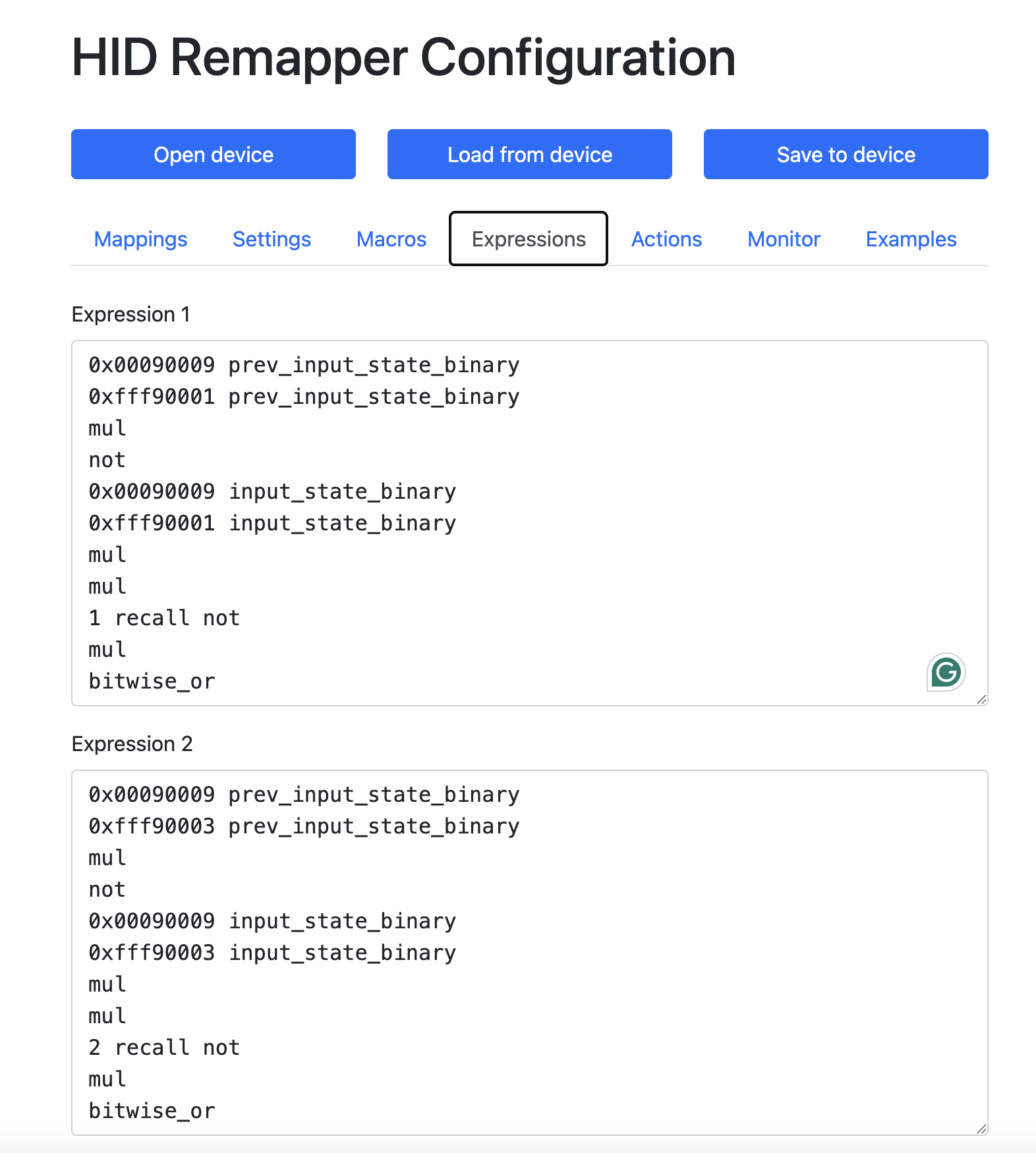
I followed all instructions in the examples, forum responses and even the online expression builder, leading to these 2 different scripts:

Script A:
0x00090009 input_state
0xfff90001 input_state
mul
1 store

And

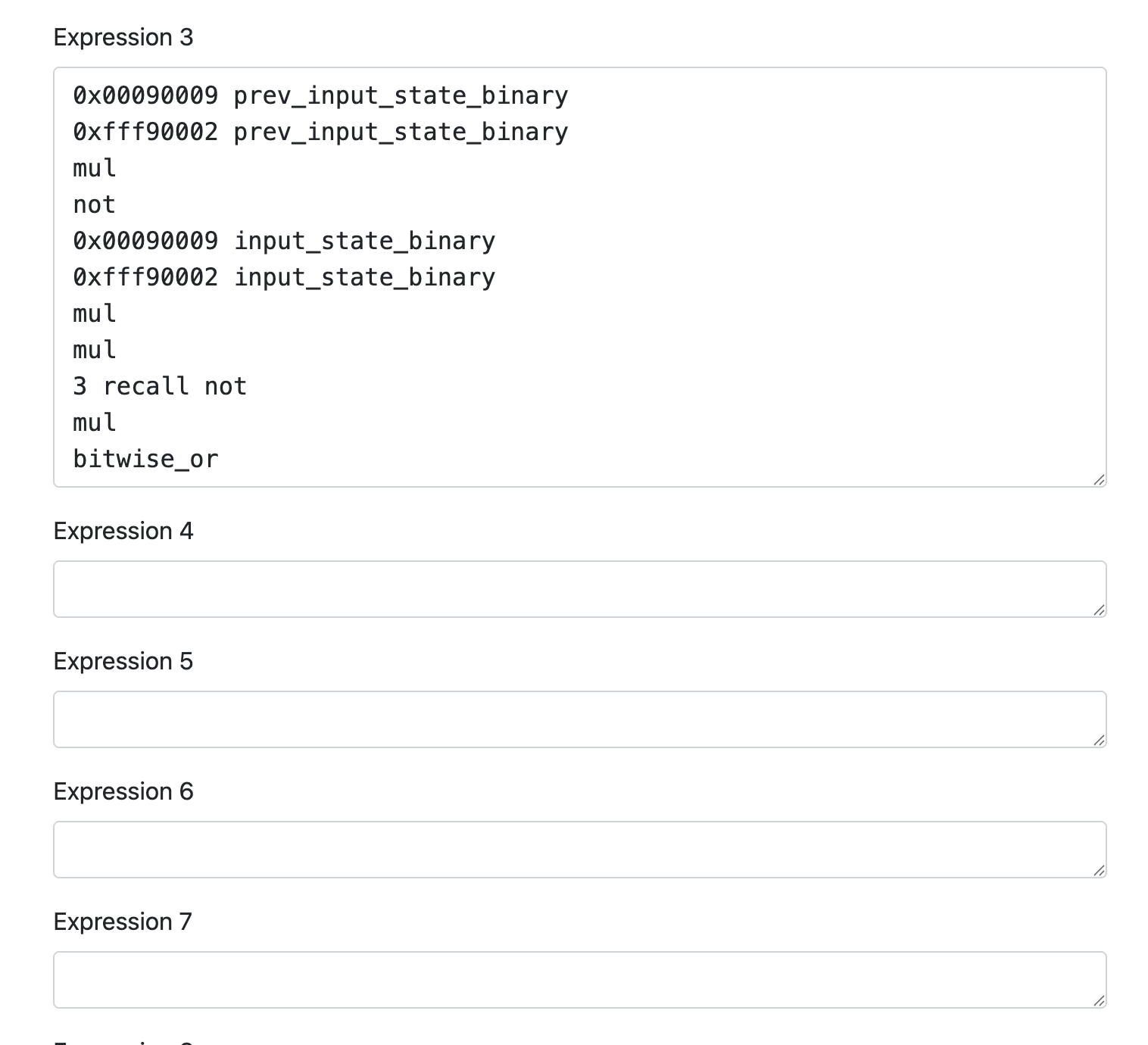
0x00090009 prev_input_state_binary
0xfff90001 prev_input_state_binary
mul
not
0x00090009 input_state_binary
0xfff90001 input_state_binary
mul
mul
1 recall not
mul
bitwise_or

Sorry, dont know why the second script cannot be styled as a script for some reason.

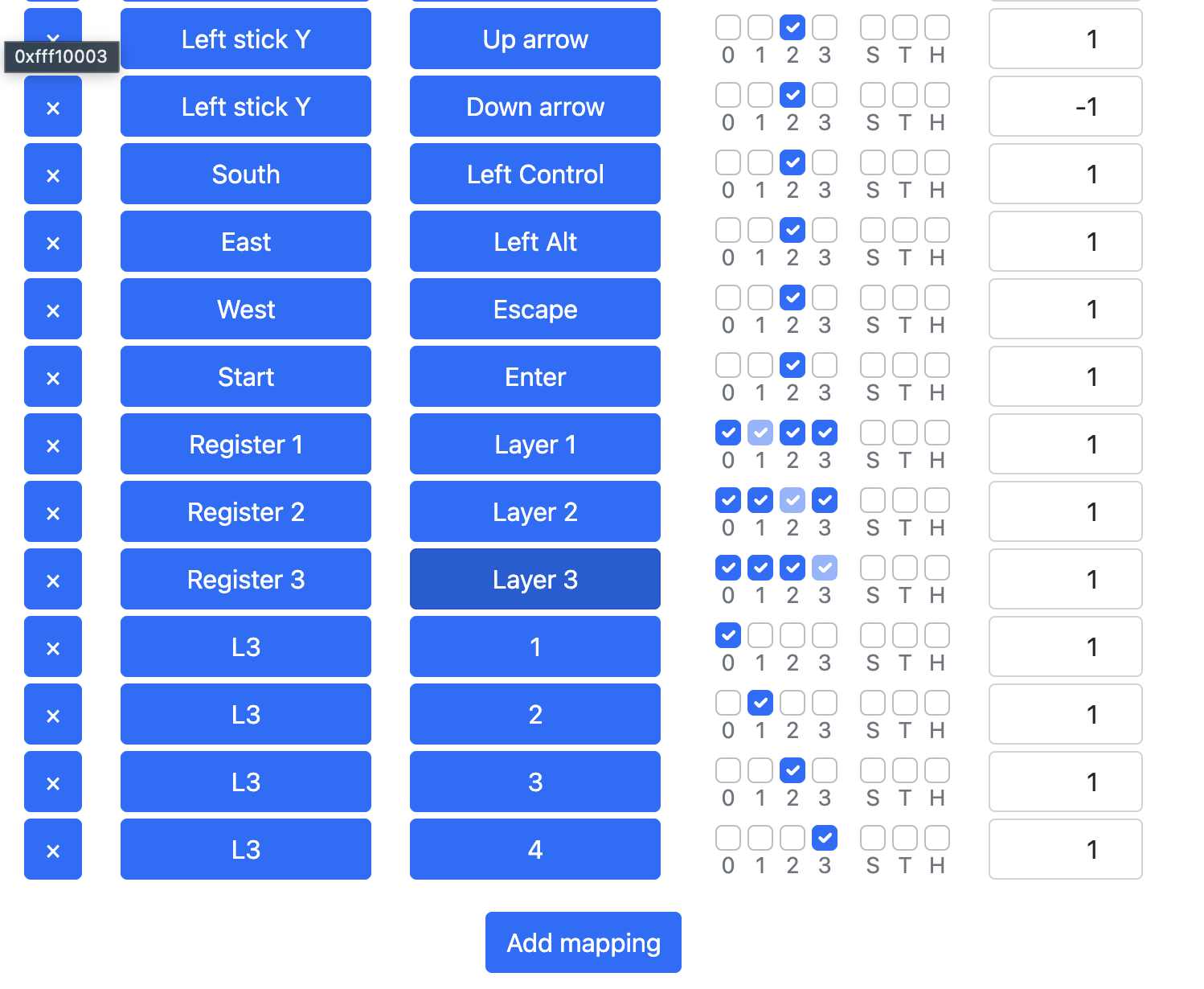
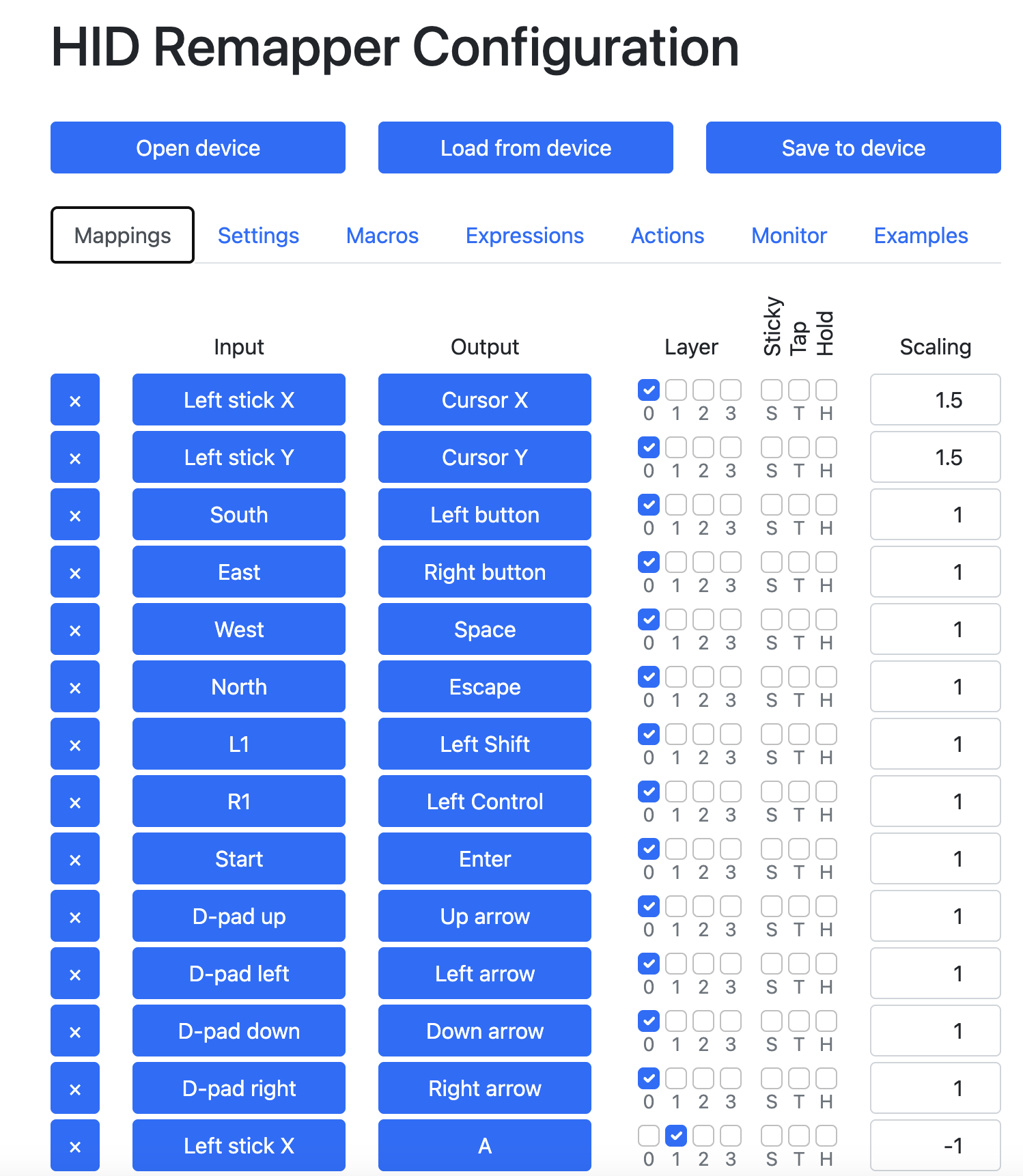
Combined with the mappings as per the screenshots, this should switch to each layer… right? What am i doing wrong? Neither format will work to switch the layers. I have added a ‘test’ mapping for the L3 button to output 1 for layer 1, 2 for layer 2, etc so i can test it in notepad or something but it will always output 1, which is the default layer, so, not switching with the combo.

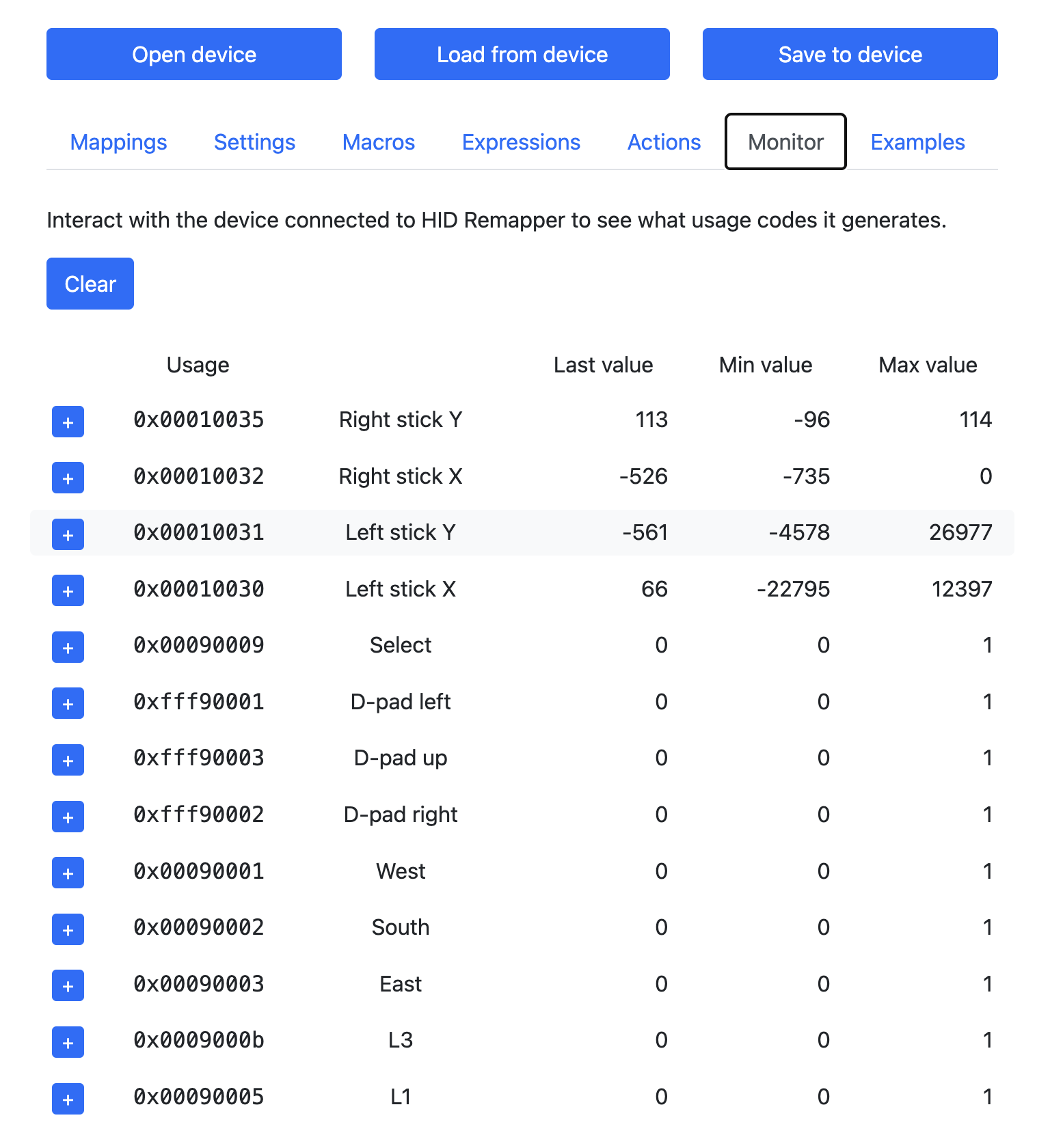
I can confirm that these codes actually work in the monitor tab both on their own and together (switching from 0 to 1 when select is pressed and when dpad up left or right are pressed too).

Any help?

2 more questions:

  1. in the mappings UI, layer checkboxes are labeled 0, 1, 2, 3 but on the mapping outputs there is no layer 0 but rather they are 1 based, not 0 based. I am a developer, so i understand everything really starts with 0 (lol) but not sure why on the UI it starts with 0 but in the output with 1, as this creates a visual weirdness (ie the mapping for output to layer 1, does not highlight layer 0 etc)
  2. When i plug in my xbox controller into the feather, then the feather into my macbook, the pad ‘takes over’ and moves the mouse automatically, so i cannot use the mouse at all while its connected but rather reely on the keyboard shortcuts to get around. Is there a way to disable this while the pad is connected somehow?

Many thanks and sorry for the lengty post, i just wanted to put everything here for completeness sake.
You can use an expression like this:

1 recall /* current state */
0x00090009 input_state_binary
0xfff90003 input_state_binary
mul /* select + d-pad up */
bitwise_or /* activate layer 1 */
0x00090009 input_state_binary
0xfff90001 input_state_binary
mul /* select + d-pad left */
not mul /* deactivate layer 1 */
0x00090009 input_state_binary
0xfff90002 input_state_binary
mul /* select + d-pad right */
not mul /* deactivate layer 1 */
1 store

2 recall /* current state */
0x00090009 input_state_binary
0xfff90002 input_state_binary
mul /* select + d-pad right */
bitwise_or /* activate layer 2 */
0x00090009 input_state_binary
0xfff90001 input_state_binary
mul /* select + d-pad left */
not mul /* deactivate layer 2 */
0x00090009 input_state_binary
0xfff90003 input_state_binary
mul /* select + d-pad up */
not mul /* deactivate layer 2 */
2 store

With mappings like this:


The layer numbers are not shifted in the UI, layer 0 is special in that it is active whenever no other layer is active. You can see this in the configuration above: there’s no code to explicitly activate layer 0, just code to deactivate layers 1 and 2 when the user presses the select+left button combination.

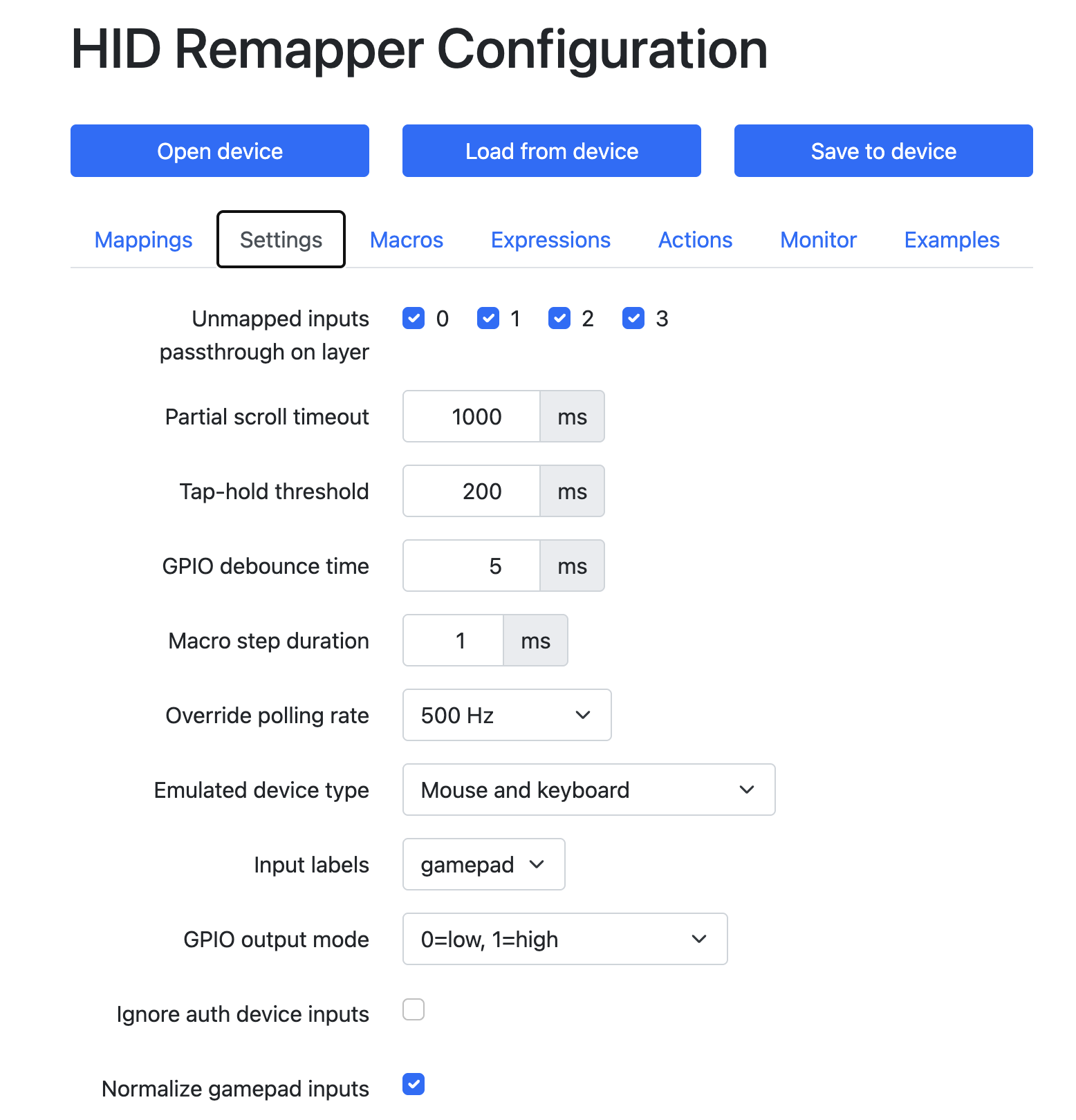
HID Remapper takes over your mouse when you connect a controller because the left stick on a controller uses the same hex codes as mouse cursor X and Y. But the neutral position of an analog stick is 128, so this means that the mouse cursor goes to the bottom right corner very fast. (Actually on an Xbox controller the neutral position is 0, but we normalize it to the “standard” range so that you don’t have to think about what type of controller you have connected.)

Just disable the “unmapped inputs passthrough” option for all layers in the Settings tab and it will stop.

Thanks, this made it work. I never really realised i should toggle the other ones off.

Now its working with the sticks like mouse, but i think i am running into the issue you mentioned with the neutral position, as games think the mouse is always moving when the stick is idle. Is this something i can configure somehow as its unplayable, i have to move the stick all the way to the left for it to think its idle.

Otherwise, if its an xbox pad issue, i can always use another one instead!

Like I said, disable the “unmapped inputs passthrough” option on all layers, that’s what causing the analog stick to mess with the mouse.

Hi again, sorry i should be more clear.

I disabled the passthrough and it indeed stopped producing this when the feather is plugged in my computer for setting up. I meant when the controller is plugged into my MisterFPGA through the feather.

The ‘detault’ state of the stick seems to send the mouse spinning again, i.e. pretty much the same situation as in the computer without the passthroughs disabled.

Only mentioning this because of what you said about how the xbox controllers work. Not sure if there is a workaround with the mappings or with something else to actually make the stick work well as a mouse replacement. My mappings (as in the screenshots) send the mouse spinning right now and not sure what i got wrong.

Happy to send any other detail through if it helps.

Ah, okay, I missed that you do have explicit stick->cursor mappings there. You can make the stick act as a mouse, but not through a 1:1 mapping like this.

You can use an expression like this (map it to Cursor X):

0x00010030 input_state_scaled -128 add dup abs 10 gt mul 0.025 mul

And a similar one for the Y axis. You can adjust the numbers to tweak the sensitivity and deadzone.

Awesome, thanks, this will be a good start for playing around :slight_smile:

This worked! I have one last question and wont bug you more.

Is it possible to ‘bundle’ expressions together to save on slots or is it possible to ‘extend’ how many expression slots there are? I am already using 3 for layer switching and for each stick → pad i need 2 so i am running out for all the layer configuration.

I might try doing this if possible by making a code change but i am a newbie in this side of developement. Many thanks again.

Instead of using the result of an expression as the input on a mapping, you can make the expression put the value in a register and use that register as the input on a mapping. Then you can have all the code in one expression if you want.