Hello everyone!
I’m trying to map a mouse input to either a Switch or PS4 Left Analog but it doesn’t seem to work in all my testing. If I map them to D-pad directions, it does work but Left or Right analog sticks don’t respond even with different scaling settings. I was hoping someone could help me here.
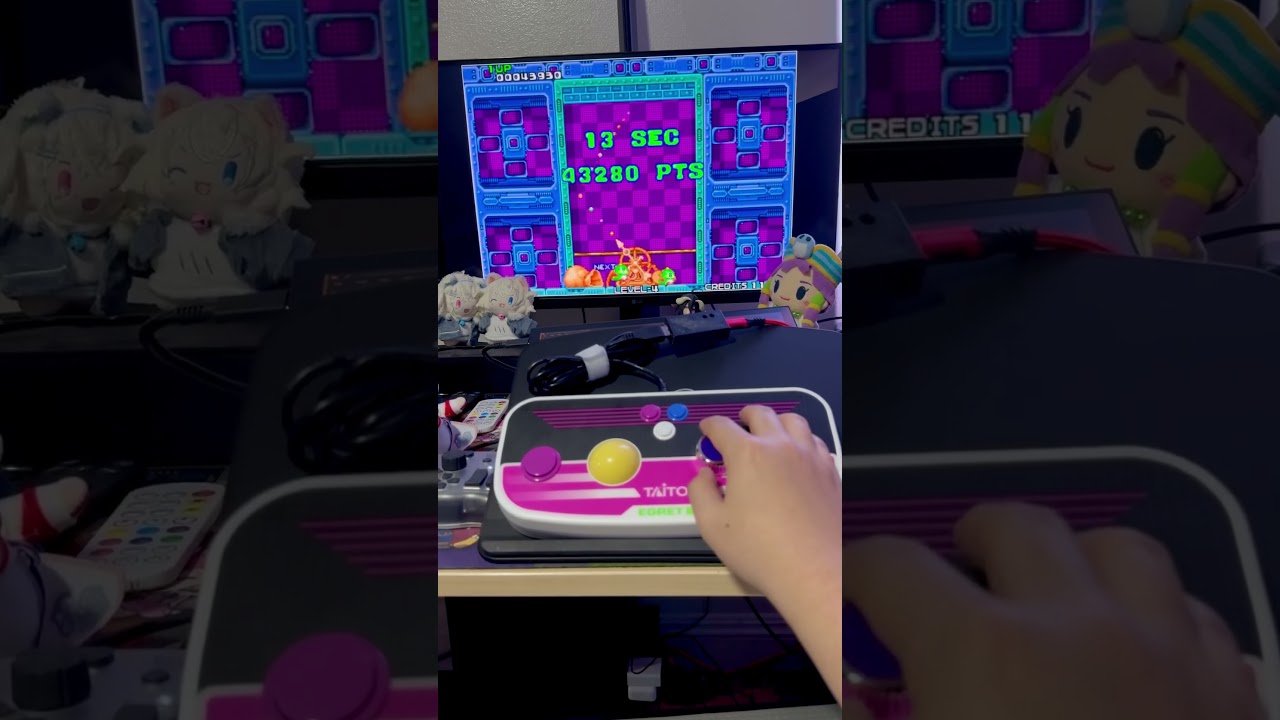
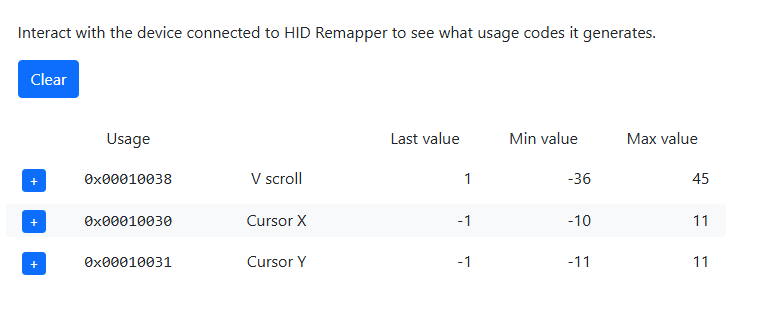
Specifically, I’m trying to use a Taito Egret II Mini Paddle & Trackball controller on the Switch to play Arcade Archives Puzzle Bobble. The controller has a trackball and spinner wheel which maps to Cursor X/Cursor Y and V scroll respectively, meanwhile Puzzle Bobble only accepts D-pad or Left Stick inputs for movement. I’ve been able to map the trackpad and wheel as D-pad inputs, so the adapter is working though. They just don’t seem to work as Left or Right analog sticks.
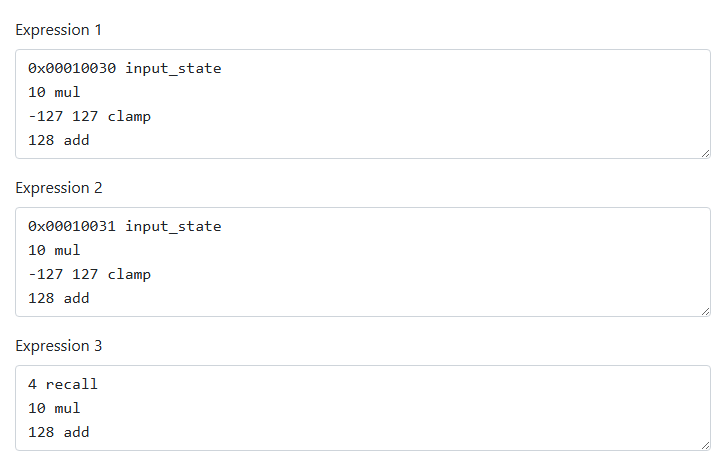
Do I need to change something in Expressions? Or is the HID Remapper just not meant for this use case?
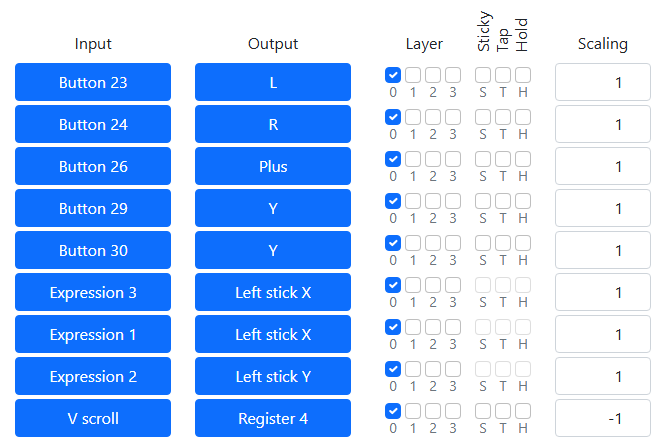
For reference, I’m using an Adafruit Feather RP2040 on the latest release r2025-06-17 and here’s what my button layout looks like:
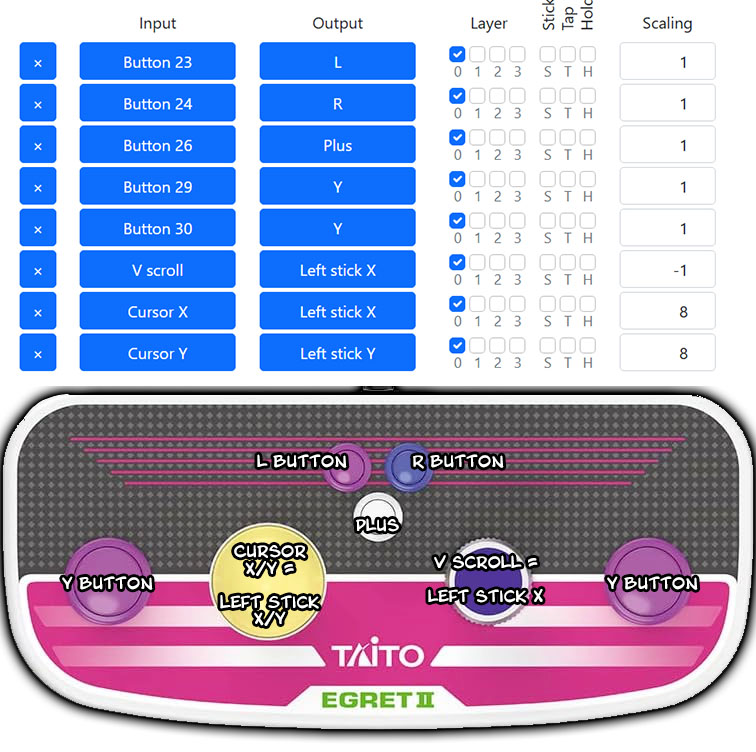
The button layout is strange because Y fires the ball in Puzzle Bobble, while L/R lets me sync the controller to the Switch and are also used as Insert Coin/Start Game buttons.
And here’s what the trackball and wheel Min/Max values are:
For testing, I’ve tried using the adapter directly on the Switch, with another Switch controller adapter inbetween, and also with a PS4-to-Switch adapter while the HID Remapper adapter has been set to PS4. I’ve also tested it on PC using Steam controller tester as both a Switch or PS4 controller, and in all situations the left or right analog stick doesn’t work but the trackball and wheel does work when set as either D-pad Left/Right. (The Dpad solution just isn’t ideal because the V Scroll wheel can only be set to move the D-pad either Left or Right, so it just moves in one direction forever instead of being able to go back and forth)
In more testing, I have been able to make the controller work when I set the HID Remapper adapter to mouse output and then connected that to a Titan Two Controller Adapter which converted the mouse input to Switch output. But it’s a messy setup and I think it should be possible to handle it all within the HID Remapper adapter itself? I may be wrong though.
For more reference, I’ve referred to this post on the MISTer FPGA forum and this post on the github just to get this far in my process. Though these two examples were for outputting for PC, while I’m trying to get this to work on Switch.
Anyway, I’d appreciate any help or advice! Thanks everyone!