I got it working!
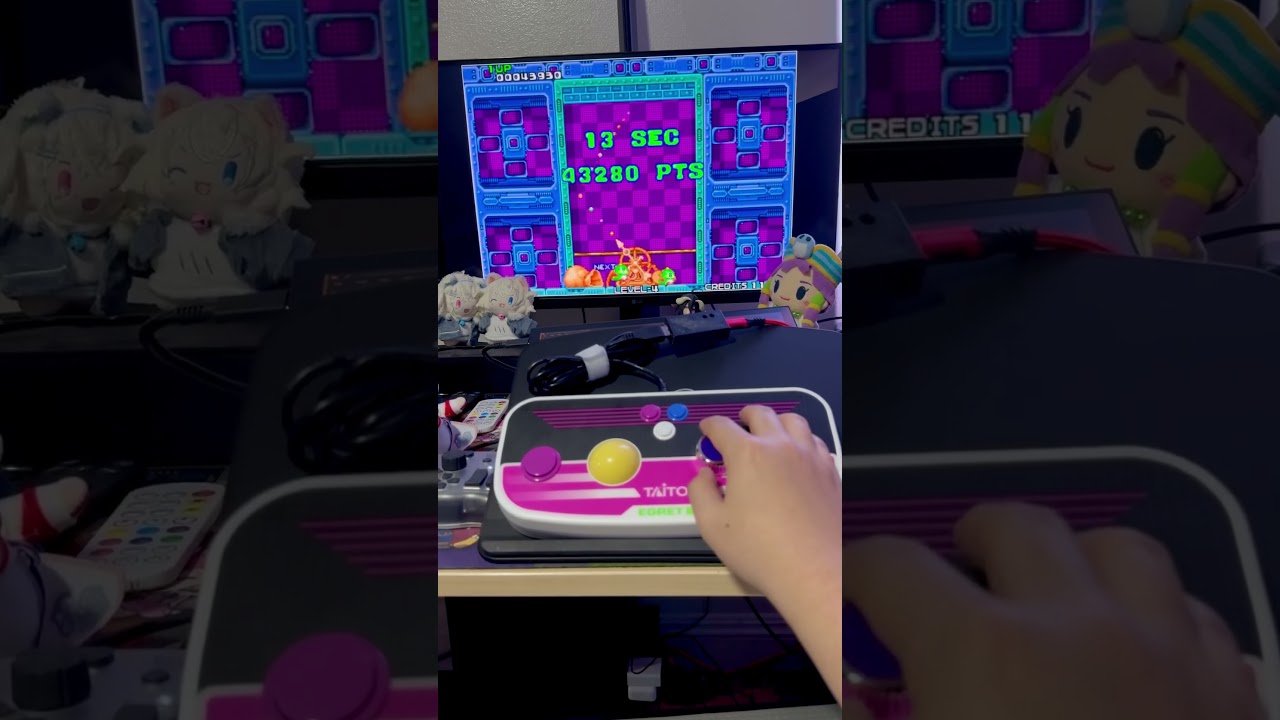
After trying out a bunch of things, in the end what worked best is actually the example formula you suggested not to use lol
It turns out that it’s okay for the joystick position to only be read for a millisecond because when I spin the controller wheel, it has velocity and maintains the position consistently over a period of time before slowing to a neutral position, so the output is consistent without extra steps.
The only snaggle I had was that the wheel spun opposite to what I expected and I couldn’t figure out what expressions to use to reverse that, but I eventually realized I could reverse it by mapping the input to a register with a reverse scaling.
Here’s how the settings look at a glance:
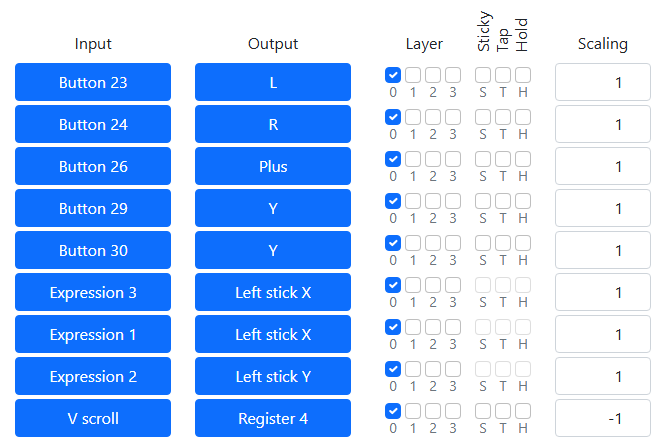
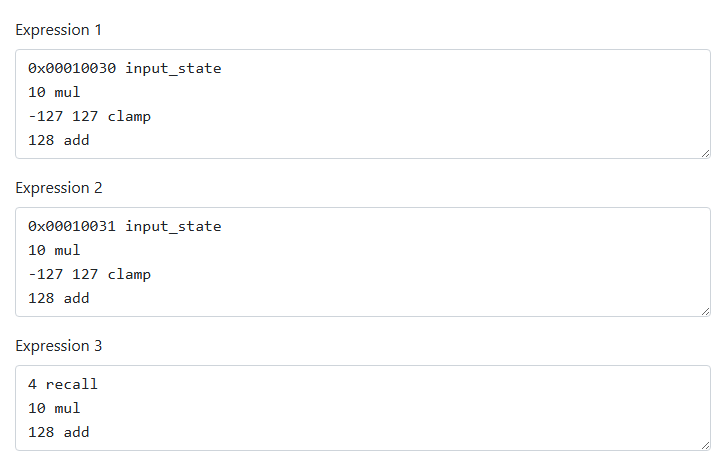
It still requires another controller to exit the Switch controller setup screen and start the game plus navigate its menus. Also I couldn’t find a satisfying way to use the trackball but that wasn’t really my goal anyway; I leave that to anyone else in the future who wants to tweak it.