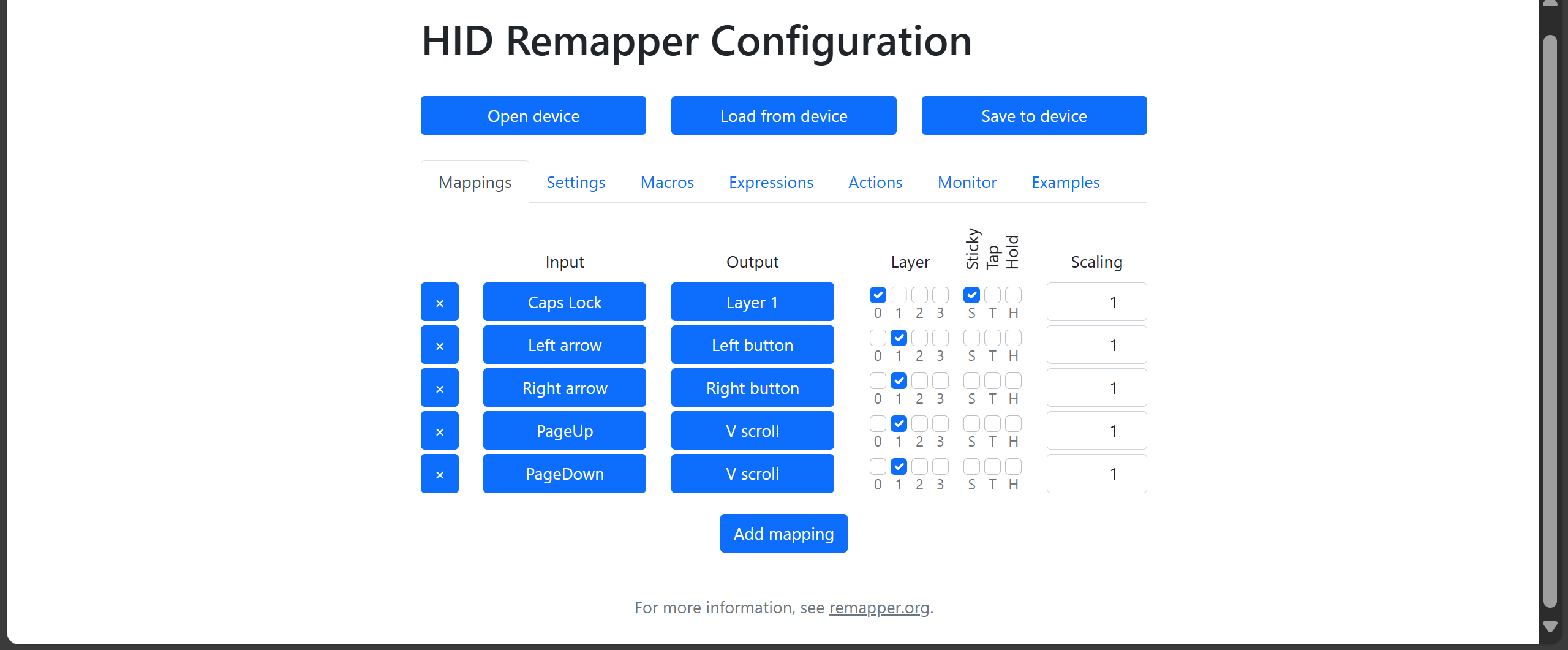
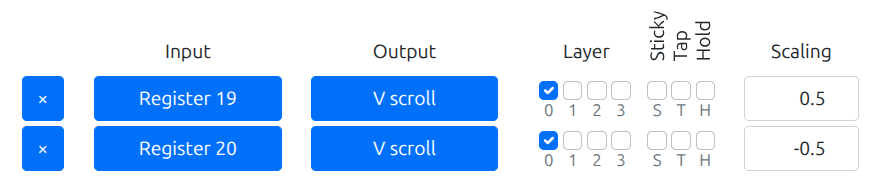
Hi all, I am looking for some help with Vscroll. What I am getting now when I run this is that it’s clicking multiple times all at once, and I wanted to do one click per keypress. What setting do I need to change
thanks beau
Hi all, I am looking for some help with Vscroll. What I am getting now when I run this is that it’s clicking multiple times all at once, and I wanted to do one click per keypress. What setting do I need to change
thanks beau
The way a key → “V scroll” mapping normally works is it sends a scroll tick for every frame (millisecond) that the key is pressed. For scroll in particular this is probably too fast so you can slow it down with the scaling parameter.
But if you want to send a single tick every time the key is pressed, you can make an expression like this:
0x00090001 input_state_binary
0x00090001 prev_input_state_binary not
mul
This translates to “button X is currently pressed but wasn’t pressed on the previous frame”.
And create an “Expression X” → “V scroll” mapping. Probably repeat for the other direction with scaling set to -1.
Change 0x00090001 to the correct code for the key you want to work as V scroll.
Hi jfedor,
What it is I have difficulty using the scroll wheel on the mouse so my idea was to reassign the scroll wheel to some keys on the keyboard So I had tried a setting of 1 and minus 1 but if that was way too quick if I did something like 0.05 would that be slower then or would I be better off to do it with the expressions that you showed
Thanks Beau
Yes, setting the scaling to some value like 0.05 or even lower would make it slower.
Why don’t you try it both ways and see which one you like better?
Another thing to keep in mind is that doing it the regular way (without expressions) gives you smooth (high resolution) scroll, which may or may not be what you want. It’s nice for scrolling documents and websites, but doesn’t let you easily adjust number pickers one by one etc.
Hi jfedor, I have done some testing, and I’m still having trouble understanding the scaling. I tried a scaling of 0.1, and that was even too fast. What scaling would be equivalent to what the expression does
There is no equivalence, the expression sends one tick when the key is pressed, after that it does nothing even if you hold it.
Why don’t you try a number lower than 0.1? You can go as low as 0.001.
Or just use the expression if you like that better?
Hi, I know that expression only does one tech, but is there a way in an expression to do one where, if I was holding the key down, it would continue doing a single ticket of time with the pies between?
V-SCROLL TESTS.json (14.3 KB)
Hi Beau,
There are some methods Jacek has helped me with within this attached .JSON for converting a HID Remapper v6 into a PC gaming device. One method allows for the stick to convert to v-scrolling (USB-1). Another is via GPIO 9 and GPIO 10 switch sockets. Just tweak the scaling up or down by various decimal values to adjust the speed.
It would be nice to have a way to have a GPIO switch input possible to tap to scroll up or down vertically, but if you hold it, it ramp up in speed a bit for faster scrolling. Not sure how you’d do that.
Curiously, I can’t get vscrolling to work within the Pool demo on Steam: https://store.steampowered.com/app/2663530/POOLS/
Hopefully there’s some way to get around this. I’ve tried adjusting scaling to no avail.
I tried the POOLS demo. It works for me when I program a button to do an entire scroll “tick” at a time (though expressions), but doesn’t work when I map the button to “V scroll” directly with scaling set to 0.01 (which is a reasonable speed for scrolling documents etc.).
I suspect this is because it ignores very small scroll inputs, either intentionally or as a result of how some APIs or layers below work.
HID Remapper uses high resolution scrolling, meaning every “tick” is actually 120 units. Theoretically sending 1 unit 120 times should have the same result as sending 120 units one time, but of course ultimately it’s up to the application to decide.
We could probably make it so that our expressions batch the inputs so that we send higher values every X milliseconds instead of sending lower values every millisecond.
That sounds about like the same thing that I was seeing in the game that I was trying to do so if we were going to do anything, expression and not just had to send one, how would the expression have to be written
Thanks for looking into this, Jacek. As with Beau, very interested in that expression to test out. It may be that less smooth vertical scrolling for documents will be the best compromise, if it works with more games. It would need an option to auto-repeat (after X seconds), and ideally, an option to ramp up the speed (after Y seconds).
Quite a balancing act it seems. Beyond me (and AI!) how to do that with HID Remapper.
An expression like this generates “1” when the button is pressed, but only once every 100 milliseconds:
time 100 mod 0 eq
0xfff40009 input_state_binary mul
19 store

time 100 mod 0 eq
0xfff4000a input_state_binary mul
20 store
Then you can just map the result to “V scroll”:
For POOLS specifically I noticed that it stops working when scaling goes below 0.5. So if you want to change sensitivity you can change the interval in the expression. As is it sends a half tick every 100ms. If you make the interval lower or higher it will send the same amount of scroll, just more or less often. If other games still don’t like the half tick, you can set scaling to 1 and adjust the interval to taste, effectively making it work like a normal “low resolution scroll” mouse.
This expression isn’t perfect in that it looks at the wall clock and sends the tick on fixed intervals, so it’s possible to press and release the button quickly without sending a tick at all, if you’re unlucky. Ideally it would send the first tick on button press and then another one 100ms (or whatever) from that moment, but it would be a slightly more complex expression.
Could something like that also be implemented to an Xbox joystick to be able to get a single click for the vertical scroll
Here is the Xbox joystick code
0x00010030 input_state_scaled0x00010031 input_state_scaled320deadzone2128 sub0.025mul 4 store128 sub0.025mul 3 store
That’s great, Jacek. Thank you. It’s working in Pools for me too. I think you’re right though that it would be better if it was more reliable. I’m finding with this tester: https://cpstest.org/scroll-test.php - it’s as easy to tap out 16 pixels as 32. As such, it’s very hard to tap out a single progression, as double-progressions are easily accidentally triggered. Not so important for Pools, but for a scrolling menu bar in a game, I think it will feel a bit erratic at times.
@Beau, do you have a precise game example in mind that you’re struggling with the joystick with?
These games aren’t brilliant, but they show me that it’s really hard to tap out individual scroll movements in a game with a scroll-wheel menu:
https://skullspit.itch.io/shredex?utm_source=chatgpt.com
I’m getting double-taps too easily, I’m finding. Tricky one.
@OneSwitch I will have to look around today because none of the games that I’ve been testing with have a free demo that you could use for testing, but I will see if I can find other options that may be free so they could be used for testing
Hi Beau,
Did you have any luck?
Not sure where we are with this, but here’s an expression that makes it so that when you press a button:
17 recall /* counter */
1 add /* increment */
0xfff40009 input_state_binary mul  /* reset if button not pressed */
17 store
17 recall 1 eq /* click immediately */
17 recall 400 gt
17 recall 200 mod 1 eq
mul add /* and every 200ms after 400ms */
18 store
In this case I just mapped register 18 to V scroll with scaling=1. You’d have to do the other direction same way.
This kind of mimics the behavior of a normal keyboard, where the repeat rate is controlled separately from the initial repeat interval. Might help with doing precisely one scroll tick while still being able to scroll faster when the button is held down.
(Of course one might also do more complex “acceleration curves”.)