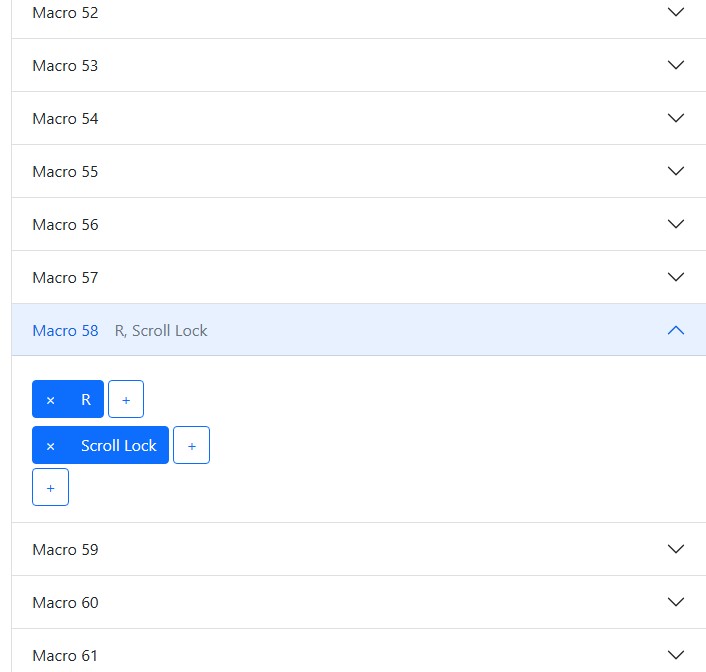
In testing I’ve figured out how to edit code.js to allow 64 Macros.
Obviously the firmware is not expecting this.
Some guideance on this custom build would be appreciated.
Thanks.
In testing I’ve figured out how to edit code.js to allow 64 Macros.
Obviously the firmware is not expecting this.
Some guideance on this custom build would be appreciated.
Thanks.
Change NMACROS in globals.h to 64 and see what happens.
We have a video on how to make a custom build:
Thanks for the fast answer. I will try that. I have to say I find github very alien.
I did the edit you suggested (on github) and reflashed the boards.
My local copy of the web config has editable macros up to 64:
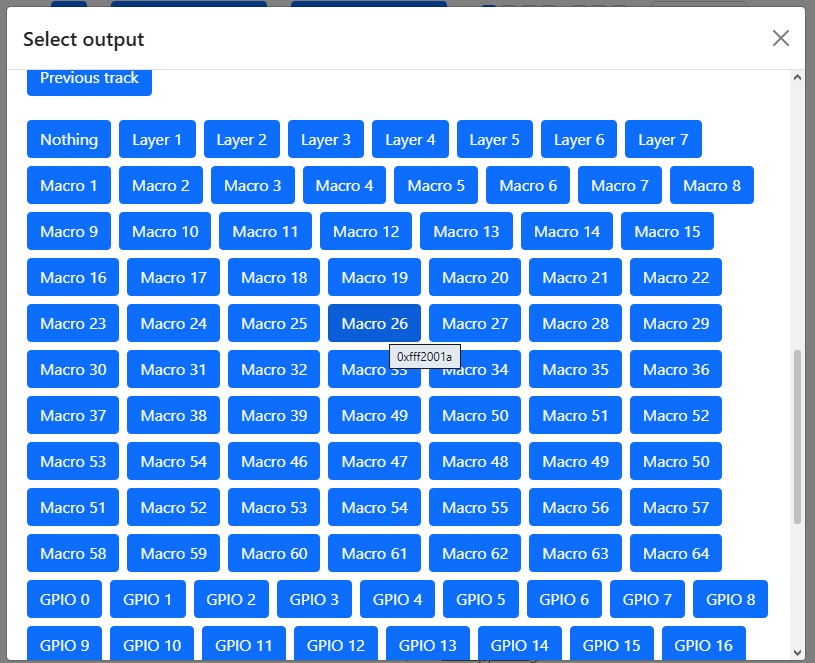
And I can choose from them in the output page:
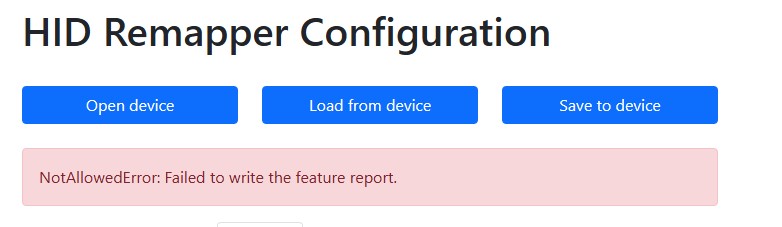
but when I try to ‘save to device’
at that point the ‘A’ pico stops responding, no keys pass through at all and comunucation with config is not possible until the pico is powered off and on again.
Maybe it’s breaking trying to read the config from flash because the number of macros changed and it’s getting garbage. Normally it’s handled by versioning the config but you can try clearing the existing config by flashing this:
https://datasheets.raspberrypi.com/soft/flash_nuke.uf2
and then try your build again.
I tried nuking the two picos and then copying my custom firmware to them.
The official firmware behaves like this:
With the pico in bootsel mode - i.e. it shows as a folder, drop the firmware into the folder, after a few seconds of led activity on the pico, the folder closes and the board is flashed.
With my evidently faulty firmware:
Drop the firmware into the folder and that’s all that happens. After unplugging and repluging the pico (without pressing bootsel) it just opens up as a folder.
I don’t see where I can go with this, there’s no way I can debug it.
Nuke the boards again and the official firmware installs and functions as it is supposed to.
I’m used to visual studio working on local files where you can easily follow what’s going on and navigate the code. Guess work looking at a feeble browser based text editor that has no context sensetivity that I can see is an impossible way to work.
Feel free to build it on your machine if that’s what you prefer.
Thanks. I have no idea how to set that up, so I don’t have that freedom. Besides, I don’t imagine the outcome would be any different, the github build created a bunch of files with no apparent error messages, flashing the boards simply didn’t work with no feedback to indicate that it had failed never mind why it had failed.
I’m wondering if I’ve mistakently cloned a test version that doesn’t work.
I shall start from scratch, following your video and see what happens.
Of course, it was FOG error. I flashed the wrong firmware.
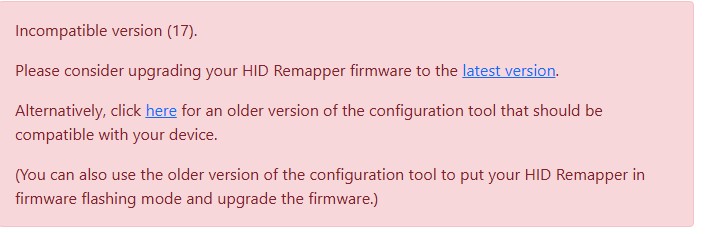
This just leaves this problem.
Please can you advise how to fix this?
Thanks.
Cancel that, I changed the version number to suit in code.js
const CONFIG_VERSION = 17;
Only one problem now remains.
I can create mappings to macros up to 64 (this was an arbitary choice just to try this out, I hope to have more than that when (if!) this can be made to work.
I can create macros up to 64.
These changes can be saved to the device, loaded from the device and saved and loaded to and from disk.
But, anything beyond macro 32 doesn’t actually work!
Any ideas?
in usages.js
    "0xfff2001f": { 'name': 'Macro 31', 'class': 'other' },
    "0xfff20020": { 'name': 'Macro 32', 'class': 'other' },
    "0xfff20021": { 'name': 'Macro 33', 'class': 'other' },
    "0xfff20022": { 'name': 'Macro 34', 'class': 'other' },
    "0xfff20023": { 'name': 'Macro 35', 'class': 'other' },
    "0xfff20024": { 'name': 'Macro 36', 'class': 'other' },
    "0xfff20025": { 'name': 'Macro 37', 'class': 'other' },
    "0xfff20026": { 'name': 'Macro 38', 'class': 'other' },
    "0xfff20028": { 'name': 'Macro 39', 'class': 'other' },
    "0xfff20029": { 'name': 'Macro 49', 'class': 'other' },
    "0xfff2002a": { 'name': 'Macro 50', 'class': 'other' },

I continued the sequence after Macro 32 as above.
Where should I be looking in the firmware source ?
Of course, on closer inspection, I skipped 0xfff20027 in the table above. Now that I have corrected that, I have it all working.
Thanks.
I will now increase the maximum macros as intended.