first of all: Thank you so much for creating this amazing solution to a problem I was struggling with for so many years now. Chronic RSI has rendered scrolling with my right hand almost impossible, and now I can happily use the trackball of an old logitech mouse to do just that with my left hand. There really are no words for the bliss and gratitude I am feeling right now, as it really helps with alleviating the pain.
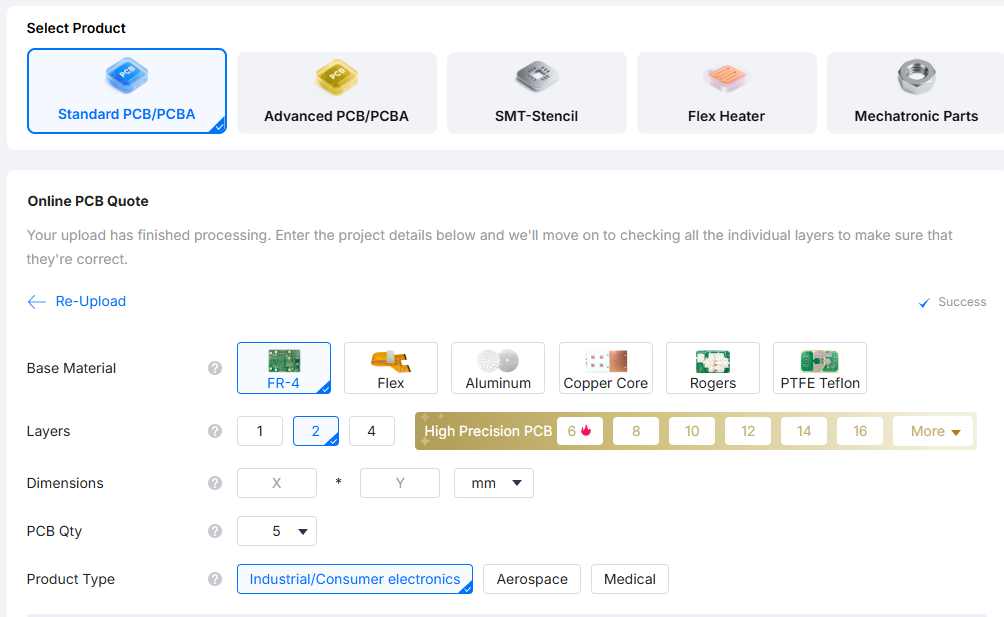
As my current solution is a hacky protoboard setup, I wanted to order PCBs from JLCPCB as I lack soldering knowledge. Unfortunately I’m running into the same problem no matter what I try: JLCPCB will not recognize the dimensions when uploading the .gerber zip file.
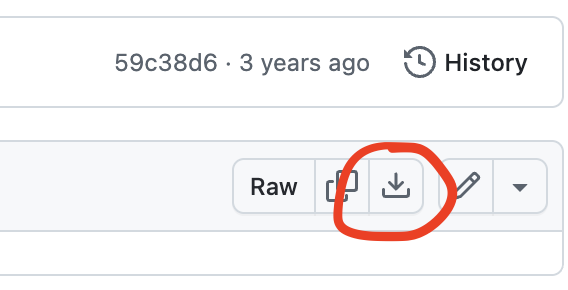
I saw a comment on youtube that mentioned the same issue, and made sure to download using the “download raw” function in gitHub. However, I still have the same problem. I tried downloading & uploading with different browsers but always get the same results, i.e. no dimensions.
I’d like to use V3 (the small dongle format) but also tried V1 just in case the issue might lie with V3 for some reason, but again, no dimensions.
As I don’t really see any posts reporting the same issues apart from the one person on youtube I expect user error, but I’m a bit out of ideas. Any ideas / help would be appreciated. Thank you
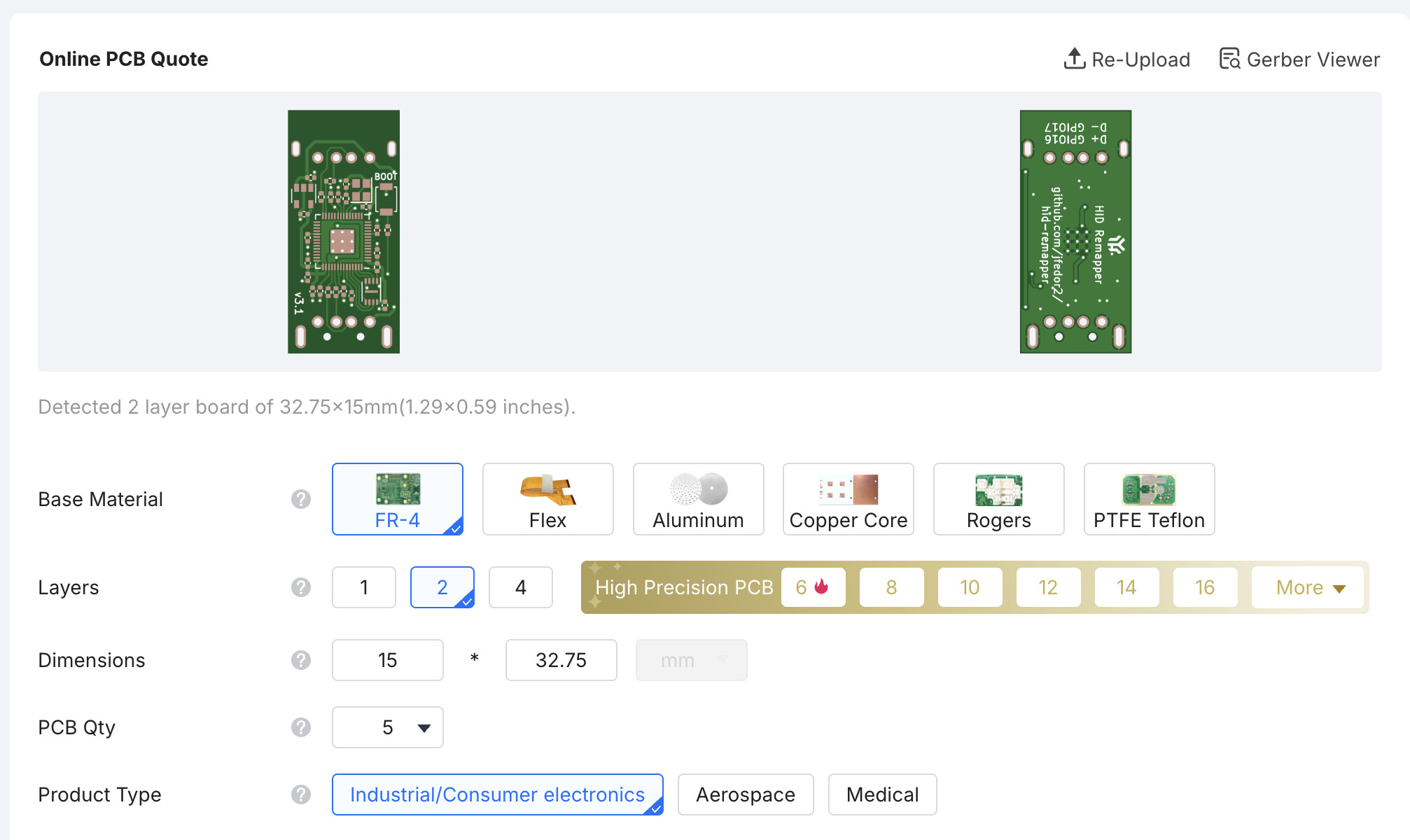
I just tried it with the v3 file and it works for me, using Chrome.
Are you sure you used this button to download the file? Does the zip file open correctly on your PC? (You don’t need to unpack it to upload to JLC but just to test that it downloaded correctly.)
Thank you for replying so quickly!
Yes, I have used this button to download but just tried again to make sure I’m using the correct file. I still get the same results, tried on Chrome now as well, on a different pc and on a linux machine. No dimensions.
I can open the zip just fine. I also tried using a gitHub downloader website and getting the zip this way. Changed the dimensions from mm to inch prior to uploading. Uploaded by using drag and drop as well as by clicking the upload button and choosing the file manually. I’m honestly at a loss as to what I might be doing wrong here.
I don’t know what’s going on. If it opens on your computer then it downloaded OK. It should auto-detect the dimensions and show a preview of the board. You can try JLC support, but they will probably just tell you to fix your files.
Well it’s kind of a relief that apparently I’m not stupid but also not because I’m confused haha
Thank you for effort in helping - I will try and figure this out, or maybe try another pcb service to see if I run into the same issue. Either way, I really appreciate you taking your time to help!
If I happen to finda solution to this I will post an update here, in case anyone else should run into this issue.
I can’t believe this is the solution, but I had an epiphany this morning, and it works now.
For anyone running into the same problem:
Create an account first, and upload the gerber file while being logged in. Then it will work. (It did for me, at least)